Content
- Videotutorial
- Installing Development Environment Docker
- Running Tests Locally
- Codebase structure
- How To Update Your Copy of omegaUp
- How To Make Changes To The Code
- The Web App Is Not Showing My Changes
- Troubleshooting
Before starting, if you are not confident using Git, we recommend you read this tutorial
Videotutorial
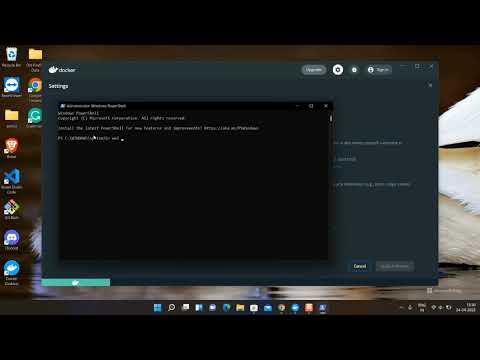
Installing Development Environment Docker
Prerequisites:
-
Install the docker engine.
-
Install docker compose 2 or if you have already installed
docker compose 1you can migrate using the following instructions. If you are using WSL, please follow the official setup guide for Docker Desktop and WSL integration available here
If you are running linux, after installing docker-compose run
sudo usermod -a -G docker $USER
Log out and log back in so you can start running docker commands.
After installing docker, fork the omegaup/omegaup repository, clone it to an empty directory
git clone --recurse-submodules https://github.com/YOURUSERNAME/omegaup
cd omegaup
Once you have cloned the repository, inside the directory run:
git submodule update --init --recursive
and then, only needed the first time, or when the following command complains in the same directory (omegaup/) run:
docker-compose pull
docker-compose up
After a few minutes (2-10 minutes), you should be able to access your local omegaUp instance http://localhost:8001. Normally the signal that indicates that the container is ready is that the previous command shows something similar to:
frontend_1     | Child frontend:
frontend_1     |        1550 modules
frontend_1     |     Child HtmlWebpackCompiler:
frontend_1     |            1 module
frontend_1     | Child style:
frontend_1     |        1 module
frontend_1     |     Child extract-text-webpack-plugin node_modules/extract-text-webpack-plugin/dist node_modules/css-loader/dist/cjs.js!node_modules/sass-loader/dist/cjs.js!frontend/www/sass/main.scss:
frontend_1     |            2 modules
frontend_1     | Child grader:
frontend_1     |        1131 modules
frontend_1     |     Child vs/editor/editor:
frontend_1     |            36 modules
frontend_1     |     Child vs/language/css/cssWorker:
frontend_1     |            67 modules
frontend_1     |     Child vs/language/html/htmlWorker:
frontend_1     |            61 modules
frontend_1     |     Child vs/language/json/jsonWorker:
frontend_1     |            60 modules
frontend_1     |     Child vs/language/typescript/tsWorker:
frontend_1     |            41 modules
After the first run, the docker compose up command can be executed with the --no-build flag to avoid rebuilding everything, as the container has already been built.
docker compose up --no-build
In order to open the console and run command inside the container you have to run:
docker exec -it omegaup-frontend-1 /bin/bash
Running Tests Locally
If you want to run the JavaScript/TypeScript tests locally (outside of Docker), you need to ensure all third-party dependencies are properly initialized.
Prerequisites
- Node.js: Install Node.js (version 16 or higher recommended)
- Yarn: Install Yarn package manager
Setup Steps
-
Initialize Git Submodules
The project uses git submodules for third-party JavaScript libraries located in
frontend/www/third_party/js/. These must be initialized before running tests:git submodule update --init --recursiveThis command downloads the following required dependencies:
pagedown- Markdown editor libraryiso-3166-2.js- Country/region codescsv.js- CSV parsing librarymathjax- Math rendering library
-
Install Node Dependencies
yarn install -
Run Tests
yarn test
Common Issues
If you encounter errors like Cannot find module '@/third_party/js/pagedown/Markdown.Converter.js', it means the git submodules were not initialized. Run:
git submodule update --init --recursive
Quick Start (Fresh Clone)
For a fresh clone, use this single command to clone with all submodules:
git clone --recurse-submodules https://github.com/YOURUSERNAME/omegaup
cd omegaup
yarn install
yarn test
Codebase structure
omegaUp code can be found at /opt/omegaup inside the container. The dev installation has two user accounts preconfigured by default: omegaup (admin) y user (normal user). Their passwords omegaup and user, respectively.
These are the directories that we are actively using in the development:
- frontend/server/src/Controllers: The controllers do the business logic and expose the server API.
- frontend/server/libs: Libraries and utilities.
- frontend/server/src/DAO: Data Access Objects [DAO] and Value Objects [VO]. Classes used to represent database schemes and facilitate their use by the controllers.
- frontend/templates: Smarty templates used to generate the HTML that is displayed to users. Also here are the internationalization files for English, Spanish and Portuguese.
- frontend/www: The complete contents of the Internet page.
For more details, see here.
How To Make Changes To The Code
When you have made changes that you wish to propose to omegaUp repository, follow these steps.
The Web App Is Not Showing My Changes!
Make sure Docker is running with the command:
docker compose up --no-build
If the problem persists, ask for help in omegaUp's communication channels.
Troubleshooting
If your browser keeps changing http to https, you can disable the security policies for localhost. See this..
When pushing changes to GitHub a series of errors can appear. Among the most common are the following:
Traceback (most recent call last):
  File "/home/ubuntu/dev/omegaup/stuff/policy-tool.py", line 124, in <module>
    main()
  File "/home/ubuntu/dev/omegaup/stuff/policy-tool.py", line 120, in main
    args.func(args, auth)
  File "/home/ubuntu/dev/omegaup/stuff/policy-tool.py", line 66, in validate
    for statement_type, git_object_id in _missing(args, auth):
  File "/home/ubuntu/dev/omegaup/stuff/policy-tool.py", line 53, in _missing
    if int(database_utils.mysql(
  File "/home/ubuntu/dev/omegaup/stuff/database_utils.py", line 75, in mysql
    return subprocess.check_output(args, universal_newlines=True)
  File "/usr/lib/python3.8/subprocess.py", line 411, in check_output
    return run(*popenargs, stdout=PIPE, timeout=timeout, check=True,
  File "/usr/lib/python3.8/subprocess.py", line 489, in run
    with Popen(*popenargs, **kwargs) as process:
  File "/usr/lib/python3.8/subprocess.py", line 854, in __init__
    self._execute_child(args, executable, preexec_fn, close_fds,
  File "/usr/lib/python3.8/subprocess.py", line 1702, in _execute_child
    raise child_exception_type(errno_num, err_msg, err_filename)
FileNotFoundError: [Errno 2] No such file or directory: '/usr/bin/mysql'
error: failed to push some refs to 'https://github.com/user/omegaup'
This error indicates that MySQL is not installed. To fix it, install outside the container:
sudo apt-get install mysql-client
In case MySQL is already installed and you get the following error:
mysql: [Warning] Using a password on the command line interface can be insecure.
ERROR 2002 (HY000): Can't connect to local MySQL server through socket '/var/run/mysqld/mysqld.sock' (2)
Traceback (most recent call last):
  File "/home/ubuntu/dev/omegaup/stuff/policy-tool.py", line 124, in <module>
    main()
  File "/home/ubuntu/dev/omegaup/stuff/policy-tool.py", line 120, in main
    args.func(args, auth)
  File "/home/ubuntu/dev/omegaup/stuff/policy-tool.py", line 66, in validate
    for statement_type, git_object_id in _missing(args, auth):
  File "/home/ubuntu/dev/omegaup/stuff/policy-tool.py", line 53, in _missing
    if int(database_utils.mysql(
  File "/home/ubuntu/dev/omegaup/stuff/database_utils.py", line 75, in mysql
    return subprocess.check_output(args, universal_newlines=True)
  File "/usr/lib/python3.8/subprocess.py", line 411, in check_output
    return run(*popenargs, stdout=PIPE, timeout=timeout, check=True,
  File "/usr/lib/python3.8/subprocess.py", line 512, in run
    raise CalledProcessError(retcode, process.args,
subprocess.CalledProcessError: Command '['/usr/bin/mysql', '--user=root', '--password=omegaup', 'omegaup', '-NBe', 'SELECT COUNT(*) FROM `PrivacyStatements` WHERE `type` = "contest_optional_consent" AND `git_object_id` = "534d173d57e3814174ac02cc25f92e4253829d9c";']' returned non-zero exit status 1.
That means MySQL is not correctly configured. To fix that run the following script (outside the container as well):
cat > ~/.mysql.docker.cnf <<EOF
[client]
port=13306
host=127.0.0.1
protocol=tcp
user=root
password=omegaup
EOF
ln -sf ~/.mysql.docker.cnf .my.cnf
Issue : phpminiadmin / venv Permission denied during docker compose up
Symptoms
During startup, logs repeatedly show:
mkdir: cannot create directory '/opt/omegaup/frontend/www/phpminiadmin': Permission denied
Error: [Errno 1] Operation not permitted: '/opt/omegaup/stuff/venv/bin/activate.fish'
exited: developer-environment (exit status 1; not expected)
Example error logs
frontend-1 | warning " > vuex-class@0.3.2" has unmet peer dependency "vue-class-component@^6.0.0 || ^7.0.0".
frontend-1 | Error: [Errno 1] Operation not permitted: '/opt/omegaup/stuff/venv/bin/activate.fish'
frontend-1 | 2026-01-30 08:03:01,911 INFO exited: developer-environment (exit status 1; not expected)
frontend-1 | 2026-01-30 08:03:02,915 INFO spawned: 'developer-environment' with pid 1050
frontend-1 | 2026-01-30 08:03:02,917 INFO success: developer-environment entered RUNNING state, process has stayed up for > than 0 seconds (startsecs)
frontend-1 | Error: [Errno 1] Operation not permitted: '/opt/omegaup/stuff/venv/bin/activate.fish'
frontend-1 | 2026-01-30 08:03:07,289 INFO exited: developer-environment (exit status 1; not expected)
frontend-1 | 2026-01-30 08:03:08,293 INFO spawned: 'developer-environment' with pid 1073
frontend-1 | 2026-01-30 08:03:09,295 INFO success: developer-environment entered RUNNING state, process has stayed up for > than 0 seconds (startsecs)
frontend-1 | mkdir: cannot create directory '/opt/omegaup/frontend/www/phpminiadmin': Permission denied
frontend-1 | 2026-01-31 06:20:53,839 INFO success: developer-environment entered RUNNING state, process has stayed up for > than 0 seconds (startsecs)
frontend-1 | 2026-01-31 06:20:53,840 INFO exited: developer-environment (exit status 1; not expected)
frontend-1 | [2/4] Fetching packages...
frontend-1 | 2026-01-31 06:20:54,391 INFO spawned: 'developer-environment' with pid 1161
frontend-1 | mkdir: cannot create directory '/opt/omegaup/frontend/www/phpminiadmin': Permission denied
frontend-1 | 2026-01-31 06:20:54,401 INFO success: developer-environment entered RUNNING state, process has stayed up for > than 0 seconds (startsecs)
frontend-1 | 2026-01-31 06:20:54,402 INFO exited: developer-environment (exit status 1; not expected)
frontend-1 | 2026-01-31 06:20:55,402 INFO spawned: 'developer-environment' with pid 1163
frontend-1 | 2026-01-31 06:20:55,403 INFO success: yarn-run entered RUNNING state, process has stayed up for > than 1 seconds (startsecs)
The developer environment restarts continuously and omegaUp never becomes available at http://localhost:8001.
Cause
The repository was cloned or executed as the root user (e.g., inside /root/...) or the project directory is owned by root.
omegaUp uses Docker bind mounts:
<local project directory> → /opt/omegaup (inside container)
If the local directory is owned by root, the container cannot create required folders and virtual environment files.
Fix (Recommended – Clean Setup)
Do not try to repair the root-owned folder. Delete it and re-clone properly. (Example used here: username
userdevand workspace~/dev— you may use any names you prefer.)
- Delete the incorrect clone (run as root):
rm -rf /root/omegaup
rm -rf /root/<any-folder-containing-omegaup>
- Create / switch to a normal user:
adduser <your-username>      # e.g. userdev
usermod -aG sudo,docker <your-username>
su - <your-username>
- Clone omegaUp as the normal user:
mkdir -p ~/workspace         # e.g. ~/dev
cd ~/workspace
git clone --recurse-submodules https://github.com/YOURUSERNAME/omegaup
cd omegaup
- Start the environment:
docker compose up
Prevention
- Do not run
git clonewithsudo - Do not run
docker composeasroot - Always work from a normal user’s home directory (e.g.,
/home/userdev/...)
If you encounter any problems not covered in this section, please file an issue at https://github.com/omegaup/deploy/issues with your reproduction steps and the error message you are getting.
Authentication
Once omegaup is running on your local environment, you can access http://localhost:8001/ to see the website. Use the following credentials to log in:
omegaup(passwordomegaup): User with sysadmin privileges.user(passworduser): User with regular privileges.
There are a huge list of users we use in tests:
| User | Password |
|---|---|
| test_user_0 | test_user_0 |
| test_user_1 | test_user_1 |
| test_user_2 | test_user_2 |
| test_user_3 | test_user_3 |
| test_user_4 | test_user_4 |
| test_user_5 | test_user_5 |
| test_user_6 | test_user_6 |
| test_user_7 | test_user_7 |
| test_user_8 | test_user_8 |
| test_user_9 | test_user_9 |
| course_test_user_0 | course_test_user_0 |
| course_test_user_1 | course_test_user_1 |
| course_test_user_2 | course_test_user_2 |
Feel free to create as many users as you need to test your changes. In development mode, the email verification is disabled, so you can use dummy emails.